Quick answer
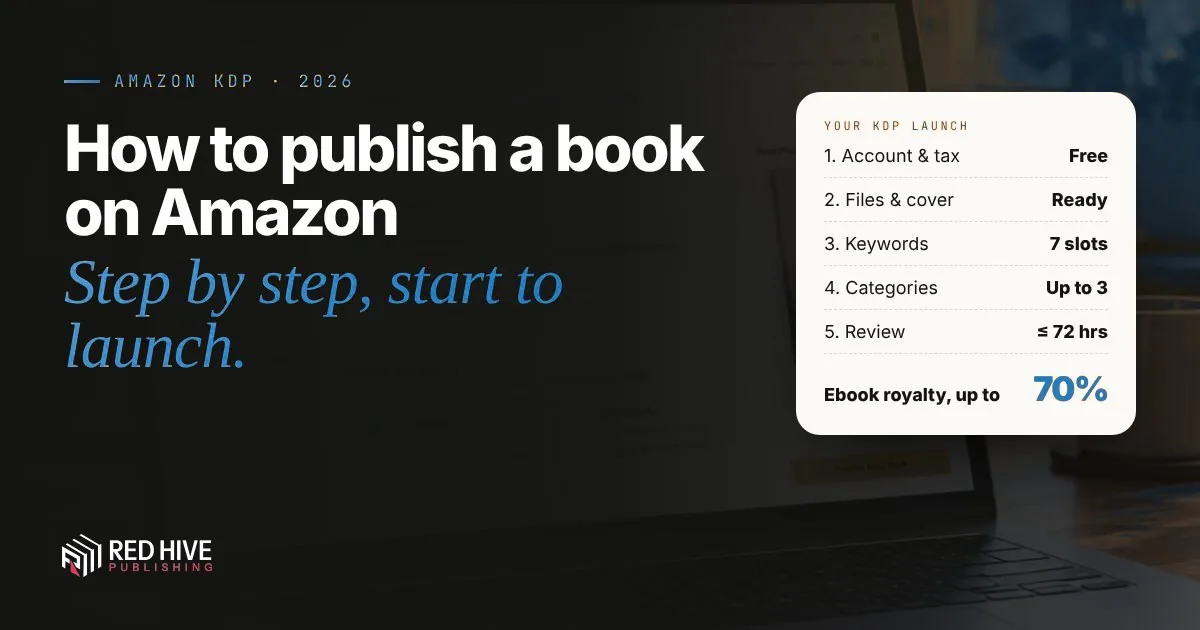
How to publish a book on Amazon: create a free Kindle Direct Publishing (KDP) account, finish your tax and bank details, then add your book’s details, upload an edited manuscript and cover, set your price and click Publish. KDP reviews most books within 72 hours. It costs nothing to publish; Amazon takes its share from each sale, and you keep your rights.
Amazon’s publishing platform is free and the steps are simple. Yet first-time authors still lose weeks to rejected files, a listing nobody finds, or a price that quietly halves their royalty. This guide takes you through every screen in the order KDP shows it, explains each choice in plain English, and flags where most first launches go wrong.
Key takeaways
- Publishing on Amazon KDP is free. You need an Amazon account, tax details and a bank account for royalties.
- Every format is set up separately: Kindle ebook, paperback and hardcover. Amazon links them on one product page.
- Your listing has 7 keyword slots and up to 3 categories. Together they decide where readers find you.
- Since July 7, 2026, ebooks priced $2.99–$12.99 on Amazon.com can earn the 70% royalty.
- Order a printed proof before you publish a paperback. It is the cheapest insurance you can buy.
What you need before you start
Getting these ready first turns setup into an afternoon’s work instead of a week of back-and-forth.
| Item | Ebook | Paperback / hardcover |
|---|---|---|
| Edited, proofread manuscript | Required | Required |
| Interior file | EPUB or Word (DOCX) | Print-ready PDF at your trim size |
| Cover | Front cover image (JPG or TIFF) | Full wrap PDF: back, spine and front |
| ISBN | Not needed (Amazon assigns an ASIN) | Free from KDP, or your own |
| Book description | Up to 4,000 characters, written to sell | |
| Keywords and categories | 7 keywords and up to 3 categories, researched in advance | |
| Tax and bank details | Tax ID and an account that can receive royalties | |
If the manuscript isn’t edited yet, stop here. Amazon will publish an unedited book, but reviews will point out every error, and early reviews are hard to recover from. Our guide to how much it costs to self-publish a book shows what editing, covers and formatting cost if you plan to hire help.
How to publish a book on Amazon in 9 steps
Step 1: Create your KDP account
Go to kdp.amazon.com and sign in with an Amazon account, or create a new one. Many authors set up a separate account just for publishing, which keeps book income apart from personal shopping. Amazon may ask you to verify your identity before you can publish, so set up the account a few weeks before you plan to launch.
Step 2: Complete your tax and payment details
Under Your Account, complete the tax interview and add a bank account. US authors fill in a W-9; authors outside the US fill in a W-8BEN, which can reduce US withholding on royalties if their country has a tax treaty with the US. KDP pays royalties about 60 days after the end of the month in which a sale happens. You can set up a book before this is done, but you can’t publish it until the tax interview is complete.
Step 3: Prepare your manuscript and cover files
This is the step that decides whether your book looks self-published or professionally published.
- Ebook interior: upload an EPUB or a cleanly styled Word file. Use real heading styles for chapter titles so the Kindle table of contents works, and avoid manual spacing with tabs and blank lines.
- Print interior: upload a PDF at your chosen trim size (6 × 9 inches is the most common for nonfiction and many novels), with fonts embedded, correct margins for your page count, and no blank pages where KDP doesn’t expect them.
- Cover: the ebook needs a front cover only. Print books need a full wrap whose spine width depends on page count and paper colour, so the cover is finished after the interior is final.
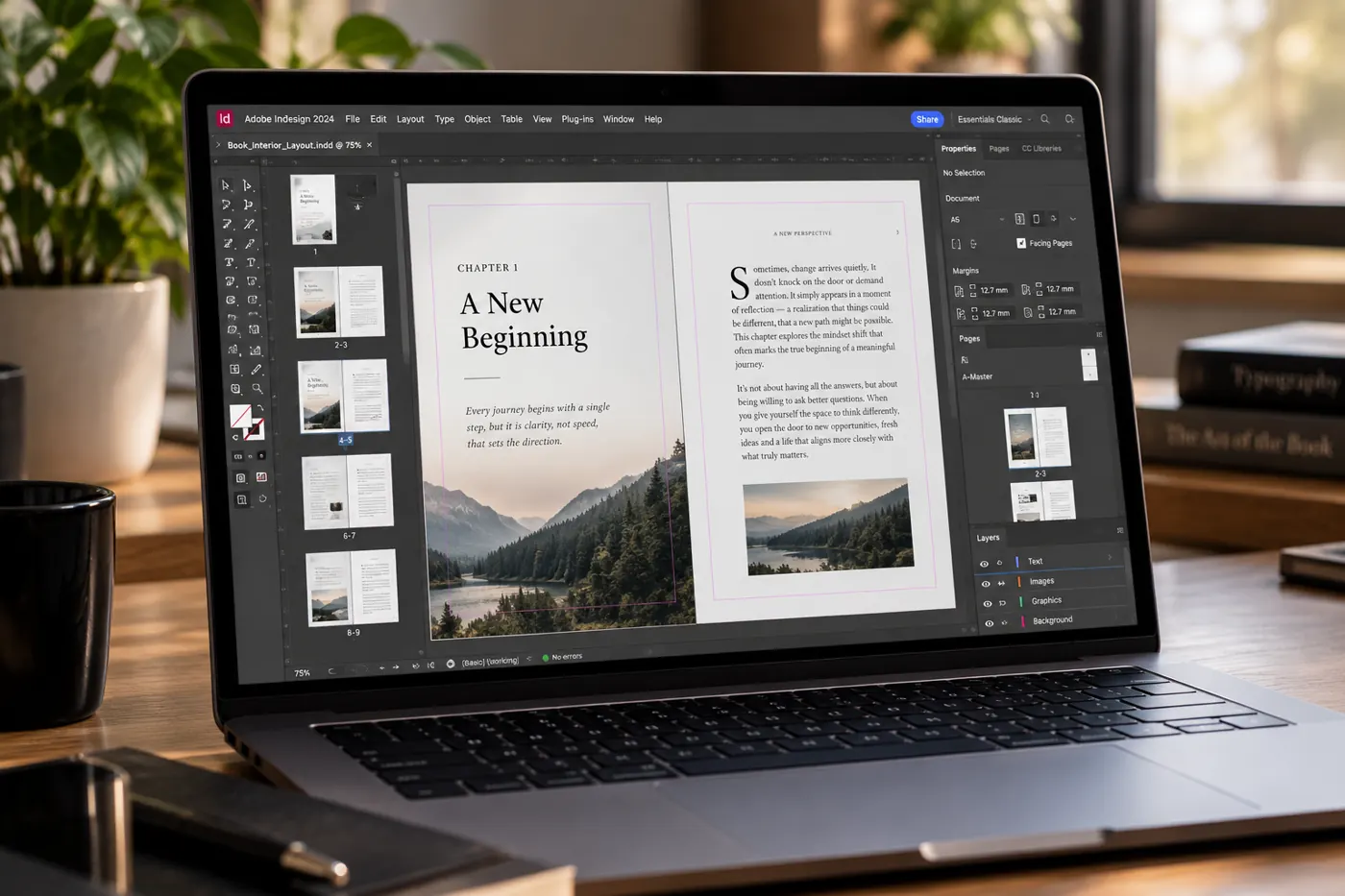
Amazon’s free Kindle Create tool handles text-only books well. Books with images, tables or complex layouts usually need professional book formatting, and print covers often need a designer who knows KDP’s cover specs.
Common rejection: text or images too close to the edge of the page. Keep everything that isn’t meant to bleed inside KDP’s minimum margins, and download the cover template from KDP for your exact page count.
Step 4: Create a new title on your Bookshelf
From the Bookshelf, choose + Create and pick a format: Kindle eBook, Paperback or Hardcover. Each format has three tabs: Details, Content and Rights & Pricing. Start with the format you’ll launch first; most authors start with the ebook, then add the paperback from the same Bookshelf entry so the two link automatically.
Step 5: Fill in your book details
The Details tab is your Amazon product page. Take your time here, because this is what shoppers read.
- Title and subtitle: must match your cover exactly. A subtitle that tells readers who the book is for helps nonfiction sell.
- Series: add series information now so Amazon groups the books together.
- Author and contributors: use the exact pen name you’ll use on every book, so they all appear on one Author Central page.
- Description: up to 4,000 characters. Lead with a hook, not a plot summary, and use short paragraphs and bold text. It is your sales page.
- Publishing rights and audience: confirm you own the rights, and set reading age if it’s a children’s or teen book.
- AI content: KDP asks whether your text, images or translation were created with AI. Answer honestly. It is required, and KDP says it does not currently show the answer to customers.
Step 6: Choose keywords and categories
These two fields decide where your book appears when someone searches or browses, and they’re where most first-time listings underperform.
Keywords. You get seven keyword slots. Don’t repeat words already in your title, and don’t waste slots on single generic words like “book” or “novel”. Use the phrases readers actually type: start typing in Amazon’s search bar and note the autocomplete suggestions, for example “cozy mystery with cats” or “budgeting for couples”.
Categories. Choose up to three categories. A good category is popular enough that readers browse it but not so crowded that a new book disappears. Look at the categories shown on the product pages of books similar to yours: a category where top books have modest sales ranks gives you a realistic chance at a visible ranking.
Step 7: Upload your content and preview it
On the Content tab you upload the interior and cover, and choose your ISBN for print. KDP’s free ISBN works only on KDP and lists the publisher as “Independently published”. If you want your own imprint, buy ISBNs from your national agency (Bowker in the US) and enter one here.
Then open the Previewer and check every page, not just the first few. Look for blank pages, broken chapter breaks, images that don’t fit and text running into the margins. For a paperback, also order a proof copy: you pay only the printing cost and shipping, and holding the book is the only way to see the colour, spine and paper as readers will.
Step 8: Set your price and royalty option
On the Rights & Pricing tab, choose where to sell (worldwide rights is usual for original work), your royalty plan and your price. Here’s how the money works on Amazon.com:
| Format | Royalty | Conditions |
|---|---|---|
| Kindle ebook | 70% of list price minus delivery fee | Priced $2.99–$12.99 and meets KDP’s other 70% requirements |
| Kindle ebook | 35% of list price | Priced outside the 70% band |
| Paperback | 60% of list price minus print cost | List price $9.99 or more |
| Paperback | 50% of list price minus print cost | List price under $9.99 |
The 70% ebook band rose from $9.99 to $12.99 on July 7, 2026, according to KDP’s pricing page. That matters for longer nonfiction, which can now be priced higher without dropping to 35%. Existing books don’t change automatically: if you priced above $9.99 at 35% before July, you have to switch the royalty option yourself.
Paperback list price$14.99
60% royalty rate$8.99
Print cost, 250 pages black ink ($1.00 + 250 × $0.012)− $4.00
Your royalty per copy≈ $4.99
KDP Select is offered on this tab too. Enrolling puts your ebook in Kindle Unlimited, where you’re paid for pages read, and unlocks promotions such as free-book days and Kindle Countdown Deals. The catch: the ebook must be exclusive to Amazon for each 90-day term, so you can’t also sell it on Apple Books, Kobo or other ebook stores. Paperbacks are never affected.
Step 9: Publish, then check your live listing
Click Publish. KDP reviews the book, typically within 72 hours, and emails you when it’s live. It can take up to another 72 hours for the book to show up in Amazon search, so don’t panic if searching your title finds nothing on day one; use the link in your Bookshelf instead.
Once live, check the product page on desktop and mobile, make sure the ebook and paperback are linked, and claim your Author Central page to add a photo and bio. If you want the ebook available before launch day, KDP also lets you set it up as a pre-order, which gives you a link to share and collects sales ahead of launch.
How long does it take to publish on Amazon?
The Amazon part is fast. The preparation is what takes time.
- Editing and proofreading: two to eight weeks, depending on length and the level of edit.
- Cover design: one to three weeks, including revisions.
- Formatting: a few days to two weeks.
- KDP setup: an hour or two per format.
- KDP review: typically up to 72 hours, plus up to 72 hours to appear in search.
- Printed proof: allow one to two weeks for printing and delivery.
For a finished draft, four to twelve weeks to launch is realistic. Rushing the cover or skipping the proof is how most authors end up re-uploading files after launch, often after the first reviews are in.
What to do after your book goes live
- Ask early readers for honest reviews. Give advance copies to readers who might review the book, and never pay for reviews or swap them with other authors. Amazon removes them and can penalise your account.
- Add the paperback (or hardcover) if you haven’t. A print edition makes the ebook price look better value and brings in readers who don’t read on Kindle.
- Watch your first month of data. KDP Reports show sales and Kindle Unlimited page reads. If people visit but don’t buy, fix the cover, description or price before paying for traffic.
- Test Amazon Ads with a small budget. Start with a few dollars a day on keyword ads, and turn off the ones that spend without selling.
- Build an email list. Put a link at the back of the book to a free extra. Your list is the one audience Amazon doesn’t control.
Our book marketing services cover launch planning, Amazon Ads and listing optimisation if you’d rather not do this alone.
7 mistakes that delay or sink a launch
- Publishing an unedited manuscript. Readers forgive a plain cover more readily than typos on page one. At minimum, get a professional proofread.
- A cover that doesn’t fit the genre. Shoppers judge the thumbnail in a second, and a cover that signals the wrong genre attracts the wrong readers.
- Mismatched title data. The title, subtitle and author name on the cover must match the Details tab exactly, or KDP will reject the book.
- Wasted keyword slots. Repeating your title or using single generic words throws away free visibility.
- Pricing just outside a royalty band. A $2.49 ebook earns 35%; at $2.99 it can earn 70%. Check the band before you choose a price.
- Skipping the printed proof. Colours, spine text and margins often look different in print than on screen.
- Handing over your account. Never let a company publish your book on their KDP account. You lose control of the listing, the reviews and the royalties.
Want it done right the first time?
We publish your book on Amazon, on your account, from $199
Our packages cover proofreading, formatting, a free 3D cover, ISBN and barcode, and full setup on Amazon KDP, including keywords, categories and pricing, for one clear fee: $199, $499 or $899. Your name, your account, and you keep 100% of your rights and royalties.
Should you publish yourself or get help?
You can absolutely publish on Amazon yourself. Everything in this guide is free to do, and many authors enjoy learning the process. DIY makes most sense when your book is text-only, you’re comfortable with Word or Kindle Create, and you have time to research keywords and check every proof.
Help makes more sense when the book has images or a complex layout, when you want a professional cover and print interior without learning design software, or when your time is worth more spent writing the next book. If you hire anyone, check that they publish on your KDP account, hand over every file, and take no share of your royalties. That’s how our publishing services work.
The bottom line
Learning how to publish a book on Amazon takes an afternoon; publishing a book that sells takes preparation. Create your KDP account early, get the manuscript edited and the files right, research your keywords and categories, price inside the royalty bands, and order a proof before you click Publish.
Do that and your launch week is spent telling readers about your book, not fixing rejected files. Want a second pair of eyes before you publish? Tell us about your book and we’ll reply with a free, written quote within one business day.
Frequently asked questions
Is it free to publish a book on Amazon?
Yes. Kindle Direct Publishing (KDP) charges nothing to create an account, upload a book or keep it on sale, and it gives paperbacks and hardcovers a free ISBN. Amazon is paid from each sale instead: its share of the price, plus the printing cost on print books. Any money you spend goes on preparing the book, such as editing, cover design and formatting.
How long does it take to publish a book on Amazon?
Once your files are ready, setting up the listing takes an hour or two. KDP then reviews the book, which typically takes up to 72 hours, and the book can take up to another 72 hours to appear in Amazon search. Writing, editing, cover design and formatting take far longer, so most authors plan four to twelve weeks from finished draft to launch.
Do I need an ISBN to publish on Amazon?
Not for a Kindle ebook: Amazon gives it an ASIN instead. Paperbacks and hardcovers need an ISBN, and KDP offers one free for each print format. A free KDP ISBN can only be used on KDP and lists the publisher as “Independently published”. Buy your own ISBN if you want your own imprint name or plan to sell the same edition through other printers.
How much does Amazon pay authors per book?
Kindle ebooks earn 70% of the list price minus a small delivery fee when priced between $2.99 and $12.99 on Amazon.com (the band since July 7, 2026), or 35% outside it. Paperbacks earn 60% of the list price minus the print cost when priced at $9.99 or more. For example, a $4.99 ebook earns about $3.40 and a 250-page paperback at $14.99 earns about $5.
Should I enroll my book in KDP Select?
Enroll if most of your readers buy on Amazon and read in Kindle Unlimited, which is common for romance, thrillers and other genre fiction. KDP Select pays you for pages read and adds promotion tools, but it requires your ebook to be exclusive to Amazon for each 90-day term. If you want the ebook on Apple Books, Kobo or other stores, stay out of Select. It never affects your paperback.
Can I publish on Amazon from outside the United States?
Yes. KDP accepts authors from most countries, sells in Amazon stores worldwide and pays by bank transfer in many currencies. Non-US authors fill in the W-8BEN form in the KDP tax interview, which can lower US withholding on royalties if your country has a tax treaty with the US.
Can I change my book after it is published?
Yes. You can upload a corrected manuscript or cover, or change the description, keywords, categories and price at any time from your KDP Bookshelf. Each change goes through review again, usually within 72 hours, and the book stays on sale while it is reviewed. A new edition with substantial changes to a print book needs a new ISBN.
Our editors, designers and KDP specialists publish books for independent authors every week. This guide reflects the prices and Amazon rules we work with daily, and we update it when they change. More about us.